Choose a portable SSD with the capacity and connection your computer needs, then keep another independent copy. A drive full of precious files is not a complete backup strategy by itself.
Buy for the files you cannot replace
A family photo collection is rarely tidy. There may be phone pictures in cloud accounts, camera cards from a holiday and old folders scattered across two laptops. Buying an external SSD can provide a convenient place to collect and protect those files, but the purchase only helps if it becomes part of a repeatable process. Start with the memories you would struggle to replace, rather than the fastest transfer number on a retail page.
This guide is based on manufacturer specifications and practical workflow analysis. It does not claim measured transfer speeds or recovery tests. The aim is a storage purchase that makes it easy to preserve another copy and find a particular image when the original device is unavailable.
An archive and a backup are different jobs
Moving every photo from a laptop onto an SSD and deleting the laptop copies creates an archive with one location. If the SSD is lost or fails, the collection is still vulnerable. A backup should preserve an additional recoverable copy of important files. Keep that distinction clear when choosing storage capacity and deciding which folders can be removed from the computer.
For example, a parent might keep current photos on the computer, copy them to an external drive and retain another independent copy through a suitable service or separate storage device. The exact arrangement depends on budget and privacy preferences. What matters is avoiding a situation where the only copy travels in the same bag as the laptop.
Choose capacity with room for the next holiday
Check the size of your existing collection and how quickly it grows. Video can change storage needs more dramatically than occasional phone photos, so include clips and editing files in the estimate. Leave practical room for future material, backup versions and temporary sorting. Buying a drive that barely fits today's folders turns a straightforward routine into another cleanup project within a short time.
Do not pay for an enormous capacity simply because it is discounted if your collection is small and stable. Compare the current cost of a sensible capacity with the cost of maintaining that second independent copy. Two appropriately sized storage locations may protect memories more usefully than one oversized premium drive.
Use Samsung T7 Shield as a documented reference point
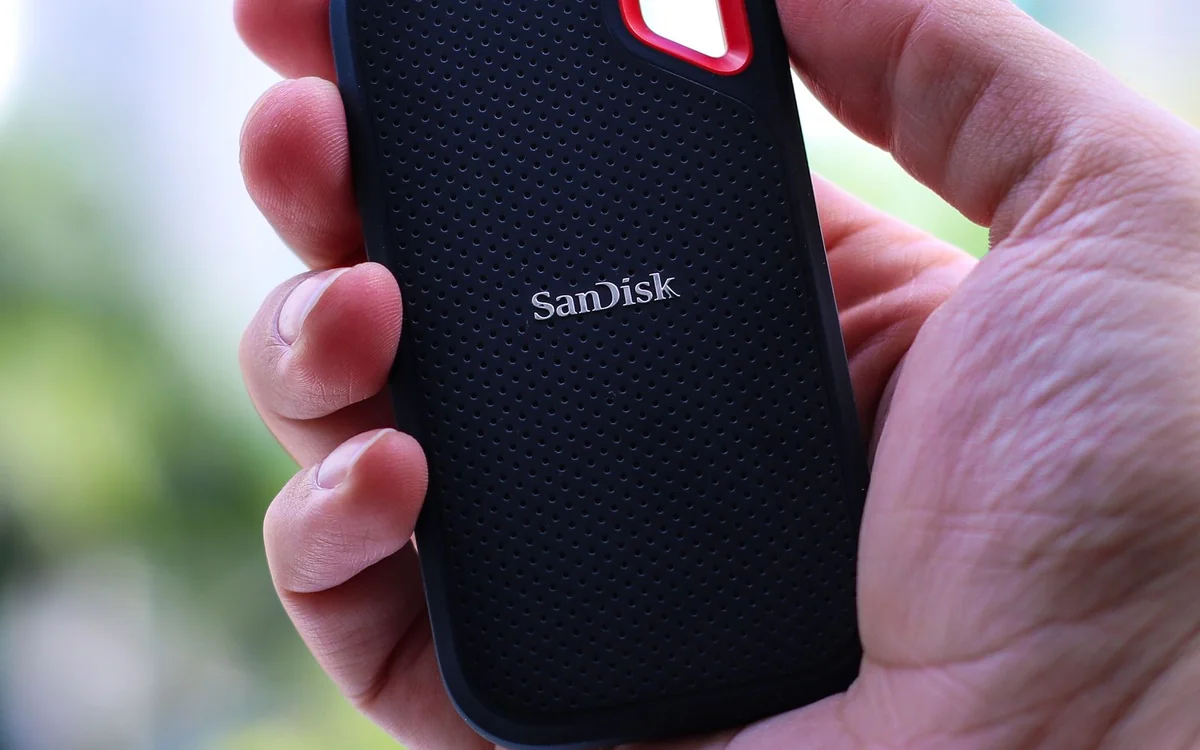
Samsung's official T7 Shield listing provides a recognizable portable SSD example with USB 3.2 connectivity. The maker also documents resistance characteristics and conditions on its product materials. Those details can matter for someone carrying a drive between home and a holiday rental, but resistance claims should not encourage careless handling or replace another copy of the files.
The purchase case is portability and a clearly documented storage product, not a guarantee that it survives every spill or drop. Check the exact capacity, regional model and included cable before ordering. If the drive will live permanently on a shelf, rugged styling may matter less than capacity, support and an uncomplicated backup routine.
Match the interface to your computer
A modern external SSD may connect through USB-C, but the computer's port capability still matters. Use the supplied cable where recommended and consult the laptop specifications before replacing it. An adapter or slower port can affect the connection. There is little benefit in paying extra for an interface your computer cannot exploit, particularly when backups happen while you are doing something else.
For people copying large video files every day, transfer time can justify a faster compatible connection. For a monthly family-photo backup, reliability and ease of use may outweigh shaving a little time from each copy. Keep advertised peak speeds separate from expectations for your own folder of mixed files.
Create a routine that survives a busy week
Choose a predictable trigger, such as the first weekend of the month or the end of a trip. Copy the new photos, confirm they are visible on the backup location and disconnect or store the drive as appropriate for your plan. Give folders meaningful names that combine an event and date, so future browsing does not depend on remembering a camera's original file numbering.
A backup application can automate parts of the process, but it should fit your computer and be understandable enough to check. Read its documentation for versioning, deletion behavior and recovery. A mirror that repeats accidental deletions immediately may not provide the protection you assumed. Understand what is being copied before relying on it.
Check recovery before the urgent moment
Open a small selection of copied photos from the backup location and confirm that they are intact. If you use backup software, learn how to restore a harmless sample folder to a separate location. That simple rehearsal catches misunderstandings about file formats, passwords and storage organization while the original files are still available.
Consider encryption if the drive carries sensitive material outside the home, using a method supported by your equipment and software. Keep the recovery information securely accessible to the people who may need it. Strong protection is not helpful if the only person who knows the password cannot recover the family collection when needed.
Spend on the system, not just the drive
Before checkout, compare capacity, included cables, compatibility, support and return terms. Check current prices directly rather than treating an old promotional figure as normal value. The Samsung listing is a useful starting destination, but the right purchase may be a different capacity or a less rugged model if it supports the same practical routine at lower total cost.
The final decision should leave enough budget and attention for the second copy. A portable SSD can make photo organization feel faster and simpler, yet its real value comes from a system you maintain. Start with one clear folder structure and one scheduled backup task, then expand only when your collection and workflow require it.
At a glance: choose for your routine
| Your situation | What to prioritise | The tradeoff |
|---|---|---|
| Monthly family-photo backup | Choose adequate capacity and an easy repeatable copy routine | A faster interface brings limited value if the backup is unattended. |
| Daily large video transfers | Check supported drive, cable and computer interfaces | Advertised peak speeds are not promises for every collection of files. |
| Drive carried between locations | Consider documented portability and protection characteristics | A rugged casing does not replace an independent copy. |
| Only copy currently stored on a laptop | Budget for an additional recoverable location | Moving files onto one drive and deleting the originals leaves one copy. |
Options to consider
Compare the exact model, configuration and local warranty before ordering. Prices and availability can change; the links below open official product or brand information.
Samsung Portable SSD T7 Shield
A documented portable USB storage option for carrying photo and video collections between locations.
Consider the tradeoff: Check your computer's interface and keep an independent additional copy; resistance claims have manufacturer-defined conditions.
Explore at the official siteYour questions answered
Is one SSD enough to protect my photos?
One drive is a single storage location. Keep another independent recoverable copy of irreplaceable material.
Should I buy the fastest SSD available?
Only if your computer supports its connection and your workload benefits. Capacity and a maintained backup routine often matter more.
Sources & methodology
Sources checked 7 October 2026. Recommendations are editorial judgments based on documented features, compatibility and everyday scenarios. Manufacturer performance figures are claims, not our measurements. Read our editorial policy.