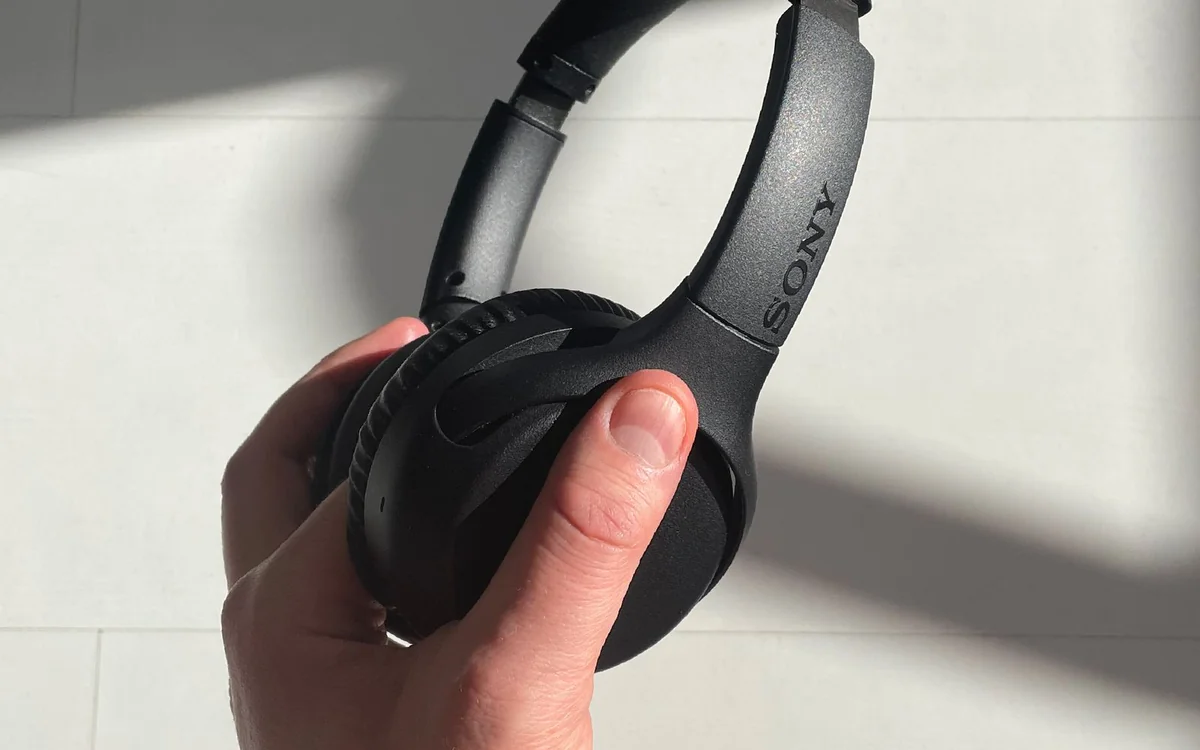
The WH-1000XM5 is worth investigating for a phone-and-laptop routine, but comfort, call behaviour and bag space should decide the purchase.
A specification assessment with a clear purpose
The Sony WH-1000XM5 often appears on shopping lists for people who want one pair of headphones for the train, office and evening listening. That is a demanding brief. A feature can look valuable on a product page yet add little when a headset spends most of its time beside a desktop computer. This assessment asks where the published feature set matches a real routine and where you should look more closely.
Byte & Gear has not performed hands-on acoustic, microphone or endurance tests of this model. We use Sony's product documentation and support guidance, with editorial interpretation of the buying implications. That distinction matters: documented connectivity can be verified from a manual, while comfort and perceived noise reduction need experience with your own head, environment and equipment. No numeric score is assigned.
The strongest use case: moving between two devices
Sony's help guide documents multipoint connection for the WH-1000XM5. For someone taking phone calls while listening to laptop audio, this is a relevant capability to investigate. It can reduce the friction of reconnecting devices, but the correct setup still matters. Read the current help guide rather than assuming that merely pairing twice activates the desired behaviour.
Think through a specific afternoon: a browser video is playing, the phone rings, and a meeting begins a few minutes later. Your calling software, Bluetooth settings and operating-system audio selection all have roles. During a return window, rehearse the sequence with your actual devices. A feature that behaves acceptably for music may still require manual attention when several applications compete for the microphone.
Noise control is useful, but the setting is personal
Sony lists active noise cancellation as part of the model's feature set. That establishes the presence of the system, not a measured advantage over every competitor. If your main problem is a consistent background sound, the feature deserves attention. If the problem is conversation at the next desk, do not assume any consumer headset will make an open office feel completely silent.
Some listeners prefer less isolation because they need to speak with colleagues frequently. Others want the physical cue that they are focusing. Consider how often you will remove the headphones, where you will leave them and whether you need a quick way to hear someone. A product's relevance depends on these small interruptions, not only the most dramatic use case presented in its advertising.
Read battery figures as planning information
Sony publishes battery information with conditions that differ by operating mode. Use the manufacturer's figures as a planning reference, rather than a promise of identical endurance in every situation. Your own volume, settings, calls and battery age can change the routine. The right comparison is whether the headset's documented charging arrangement fits the gaps in your week.
A traveller who regularly forgets to charge may value a simple desk cable more than a marginally larger headline endurance claim. A person who keeps headphones plugged in overnight has a different priority. Check the supplied accessories and your existing charger setup before ordering. This is also a reason to inspect an older unit carefully: condition and return rights can outweigh an attractive advertised saving.
The wired option needs a separate check
Sony's specifications include a headphone-cable connection. It is useful to know that the model has an analogue listening option, particularly when a source device lacks Bluetooth. However, the presence of a cable does not mean every wireless function carries over unchanged. Read the manual's treatment of power, controls and the connection before buying for a particular seat-back system or desktop audio source.
If the main purchase reason is regular wired work calls, confirm the microphone pathway rather than assuming the supplied audio lead solves it. Computer sockets, adapters and app input settings may need separate consideration. A dedicated USB work headset can be a more direct answer when meetings matter more than music. Match the connection to the job instead of treating an extra accessory as universal compatibility.
Comfort and carrying are unresolved by a spec sheet
A comfortable shape cannot be inferred from the size of the driver or a product photograph. Glasses, hair, head size and sensitivity to pressure all affect a long session. Try the headset for a realistic stretch if the retailer permits, and assess how it feels when you look down at a keyboard. Briefly pleasing cushioning is not proof that a whole afternoon will be effortless.
Also measure the space available in your everyday bag. Consider the case, charger and other gear that already travel with you. Full-size headphones may suit someone with a backpack and dedicated work desk while feeling cumbersome to someone carrying a small handbag. The correct product can still be the wrong object to pack. An earbud comparison is useful if portability is the unresolved concern.
Who should investigate alternatives
Someone working alone at a stationary desk might place less value on wireless switching and noise control. A wired headphone can keep the setup simple, provided it matches the computer's output and the room's privacy requirements. Someone who spends the day presenting on calls should compare microphone arrangements and work-platform support before prioritising premium music features.
Do not interpret the model number as a reason to replace a functioning headset. Identify the current frustration first: connection management, fit, charging, or sound preference. If the frustration cannot be linked to a documented difference, the purchase case is weak. Any current deal should be compared with alternatives on total usefulness, not with a launch price that no longer reflects the market.
The checkout and first-week checklist
Confirm the exact WH-1000XM5 listing, regional support terms, included cable and returns process. Follow Sony's multipoint instructions, name the correct audio input in meeting software and learn the available controls before a busy workday. Keep a record of the settings you use, so a connection problem can be diagnosed without randomly changing several options at once.
Our judgement is conditional: the published feature set makes sense for a mixed phone-and-laptop routine, but no specification establishes a universal recommendation. Buy only if the documented capabilities address your daily needs and the fit survives a proper trial. Use Sony's official product and support pages to verify details, and check the current price with a seller whose return terms you understand.
At a glance: choose for your routine
| Your situation | What to prioritise | The tradeoff |
|---|---|---|
| Phone and laptop share the workday | Follow Sony's documented multipoint setup | Audio applications can still require attention to the selected input. |
| Long stationary listening | Assess fit, pressure and wearing comfort | Wireless switching may add little value if you use only one source. |
| Daily travel with a small bag | Check the case against your available space | Full-size storage can compete with other essentials. |
| Meetings dominate the day | Verify microphone behaviour in the real work application | A dedicated work headset may better match a call-first brief. |
Options to consider
Compare the exact model, configuration and local warranty before ordering. Prices and availability can change; the links below open official product or brand information.
Sony WH-1000XM5
Consider for mixed phone and laptop use with documented multipoint support.
Consider the tradeoff: This is a published-specification assessment. Comfort and real call performance remain untested by Byte & Gear.
Explore at the official siteYour questions answered
Has Byte & Gear tested the WH-1000XM5?
No. This assessment uses manufacturer documentation and practical buying analysis, without listening measurements or a hands-on rating.
Does having an audio cable guarantee wired microphone support?
No. Verify the manual's connection details and your computer's input arrangement before buying for wired calls.
Sources & methodology
Sources checked 7 October 2026. Recommendations are editorial judgments based on documented features, compatibility and everyday scenarios. Manufacturer performance figures are claims, not our measurements. Read our editorial policy.