Prioritise a comfortable grip and a dependable permitted connection. Buy the smallest mouse you can use comfortably, rather than the smallest one available.
A useful travel accessory must leave home
A travel mouse promises easier spreadsheets, editing and precise selection away from a proper desk. Yet many end up in a drawer because they are uncomfortable, need a missing receiver or take up too much bag space. The first question is not how many features the mouse has. It is whether you will carry and use it on the trips where the laptop trackpad becomes frustrating.
This guide draws on manufacturer descriptions and practical purchase analysis. Byte & Gear has not measured sensor performance, click noise or battery endurance. Logitech's Pebble Mouse 2 M350s serves as an official example of the slim portable format, rather than a tested winner. The advice is to match packing, hand fit and connectivity to your actual travel routine before buying.
Define the task that makes a mouse worthwhile
If you mostly read email and write documents on short journeys, the built-in trackpad may already be adequate. A mouse becomes more appealing when you repeatedly select spreadsheet cells, arrange objects or work with tools that benefit from your preferred pointer method. Identify the task and how often it occurs away from home. An accessory used twice a year has a different value case from one used every afternoon.
Also think about available table space. A narrow train tray can be awkward regardless of mouse size, whereas a hotel desk may accommodate a conventional model. Do not assume a purchase fixes a physical limitation of the location. You may need to adapt the task, use keyboard shortcuts or reserve precision work for a better surface instead of carrying more equipment.
Slim packing is a compromise you should try
Logitech describes the Pebble Mouse 2 M350s as slim and compact. That makes it a model to investigate when bag space leads the brief, but its shape is not proof of comfort for your hand. A low-profile object can be easy to pack and less appealing for someone who prefers substantial palm support. Compare the shape with the grip you already use.
If possible, try a similarly shaped mouse before buying. Consider how your fingers rest, whether you squeeze it and whether the controls are easy to reach. A slightly larger mouse you enjoy using can be the more practical travel purchase. Keep the word travel attached to your actual bag and trips, rather than interpreting it as a demand for the absolute smallest dimensions.
The connection must fit the work computer
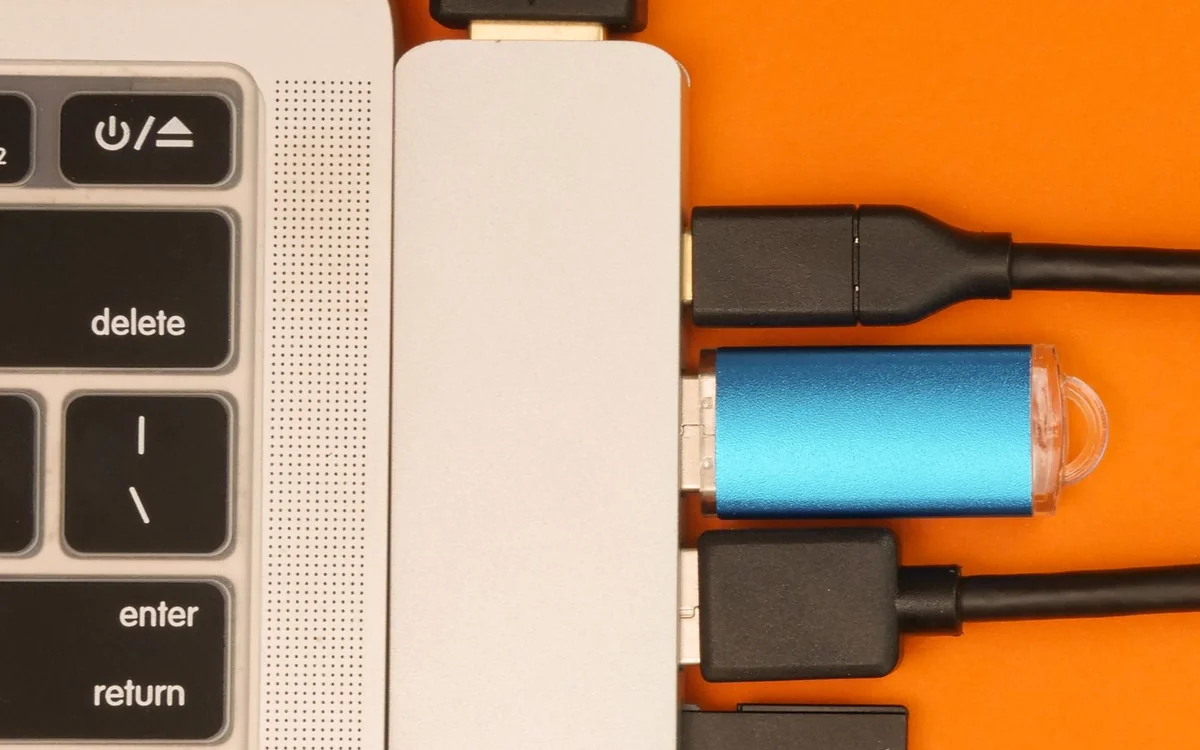
Check whether your laptop permits Bluetooth mice and whether the intended product includes a receiver if you need one. Product families can differ, so read the exact listing and box contents. On a managed work machine, ask about pairing and approved accessories. A convenient connection feature is of little use if workplace rules prevent you from enabling it.
Logitech documents switching among three devices on the Pebble Mouse 2 M350s. That can be relevant if you alternate between a laptop and another supported device, but many travellers need only one dependable connection. Do not pay extra for switching unless it solves a real task. Check basic operating-system compatibility separately from access to optional software or customised button actions.
Think about charging and spare batteries
Find out whether the mouse uses a replaceable battery or built-in rechargeable power, then decide which routine you prefer. A replaceable battery can be convenient when you carry a spare; rechargeable hardware suits someone who already has a regular charging habit. Neither arrangement is automatically superior. Battery-life marketing also depends on use and conditions, so avoid making a trip depend on the most optimistic figure.
Check the power switch and whether the mouse can be packed without accidental activation. Before an important journey, confirm it works and that any required charger or spare is accessible. The relevant question is whether you can recover from a low battery away from home. A sophisticated feature set does not help when the only charging lead is left on the permanent desk.
Surface and sensitivity need realistic expectations
A cafe table, hotel desk and glass counter are not equivalent surfaces. Read the manufacturer's sensor guidance and avoid assuming a mouse works on every material because it is described as portable. A small suitable mat may be useful if your routine regularly involves awkward tables, but include that object in the packing decision.
Adjust pointer settings on the actual laptop before blaming the device for feeling imprecise. Familiar speed and acceleration can matter when moving between computers. We do not recommend a universal sensitivity value or report measured tracking results. Your goal is reliable control in the applications you use. Try ordinary selections and scrolling rather than choosing solely by the highest sensor number advertised on the product page.
Quiet controls and shortcuts are optional priorities
A softer click can be considerate in a quiet library or meeting room, but sound claims need context. Logitech markets quieter clicking on the Pebble Mouse 2 M350s; we have not independently measured it. If this is the main reason to buy, assess the result in your normal environment during a return period rather than treating the claim as a guarantee of inaudibility.
Extra buttons are useful when you know what task they will perform. Otherwise, simple controls may be preferable on a small travel device. Check whether customisation needs software that the employer permits. A scrolling or shortcut feature that works on your home computer might not be available on a locked-down laptop. Keep the purchase tied to functions you can actually use while away.
A shortlist that will survive the first trip
Choose two candidates that fit the bag, hand and permitted connection. Include a more conventional shape if the slim design feels awkward. The Pebble Mouse 2 M350s is a reasonable documented starting point for compact packing and multi-device use, with the precise configuration checked before purchase. Consider keeping your current mouse if it already fits the bag comfortably.
Compare current prices and the full package, then try a normal work session before travelling. Pack and unpack it with the charger, notebook and other items you carry. A useful travel mouse should make the intended task easier without adding daily connection trouble. Buy for that practical improvement, and be willing to keep the trackpad as the simpler choice for trips where workspace is limited.
At a glance: choose for your routine
| Your situation | What to prioritise | The tradeoff |
|---|---|---|
| Small daily laptop bag | A shape that packs easily and remains comfortable | The thinnest mouse may offer less of the support you prefer. |
| Managed corporate laptop | Check Bluetooth, receiver and software rules | An appealing connection feature is useless if workplace policy blocks it. |
| Hotel desks and unfamiliar tables | Check sensor guidance and try your regular applications | Portability does not guarantee support for every surface. |
| Short trips mainly for email | Decide whether the trackpad already handles the task | An extra accessory can add more packing than practical benefit. |
Options to consider
Compare the exact model, configuration and local warranty before ordering. Prices and availability can change; the links below open official product or brand information.
Logitech Pebble Mouse 2 M350s
Investigate when slim packing and documented multi-device switching match your routine.
Consider the tradeoff: Try the low-profile shape and verify the precise receiver, software and operating-system requirements.
Explore at the official siteYour questions answered
Is the smallest mouse the best travel choice?
No. The useful size is one that fits your bag while remaining comfortable for the tasks you do away from home.
Should I buy Bluetooth or a receiver model?
Check laptop ports and workplace rules first. Choose the connection you can use reliably, and verify included accessories.
Sources & methodology
Sources checked 7 October 2026. Recommendations are editorial judgments based on documented features, compatibility and everyday scenarios. Manufacturer performance figures are claims, not our measurements. Read our editorial policy.